

Check two colors
1
Open the checker
Go to PROVE → Color Contrast Checker.
2
Enter your colors
Set the Foreground Color (your text) and the Background Color. Type a Hex or RGB value, or use Choose Color. You can also adjust Red, Green, Blue, and Lightness.
3
Read the result
The Result shows the Contrast Ratio and whether it passes AA and AAA for Small Text and Large Text. Sample text shows how it looks.
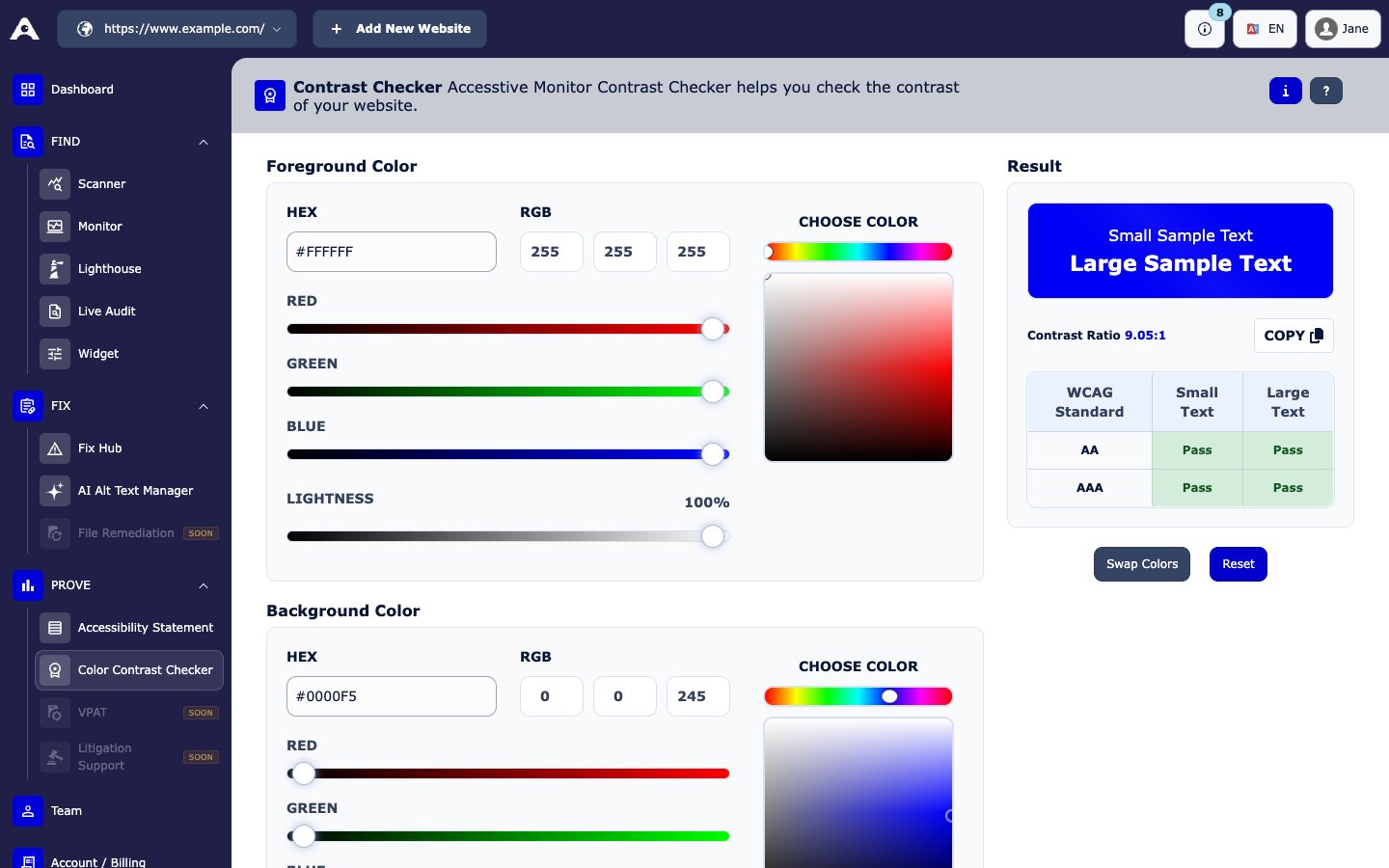
PROVE → Color Contrast Checker
What ratio do I need?
Large text means at least 24 px regular, or about 19 px bold.